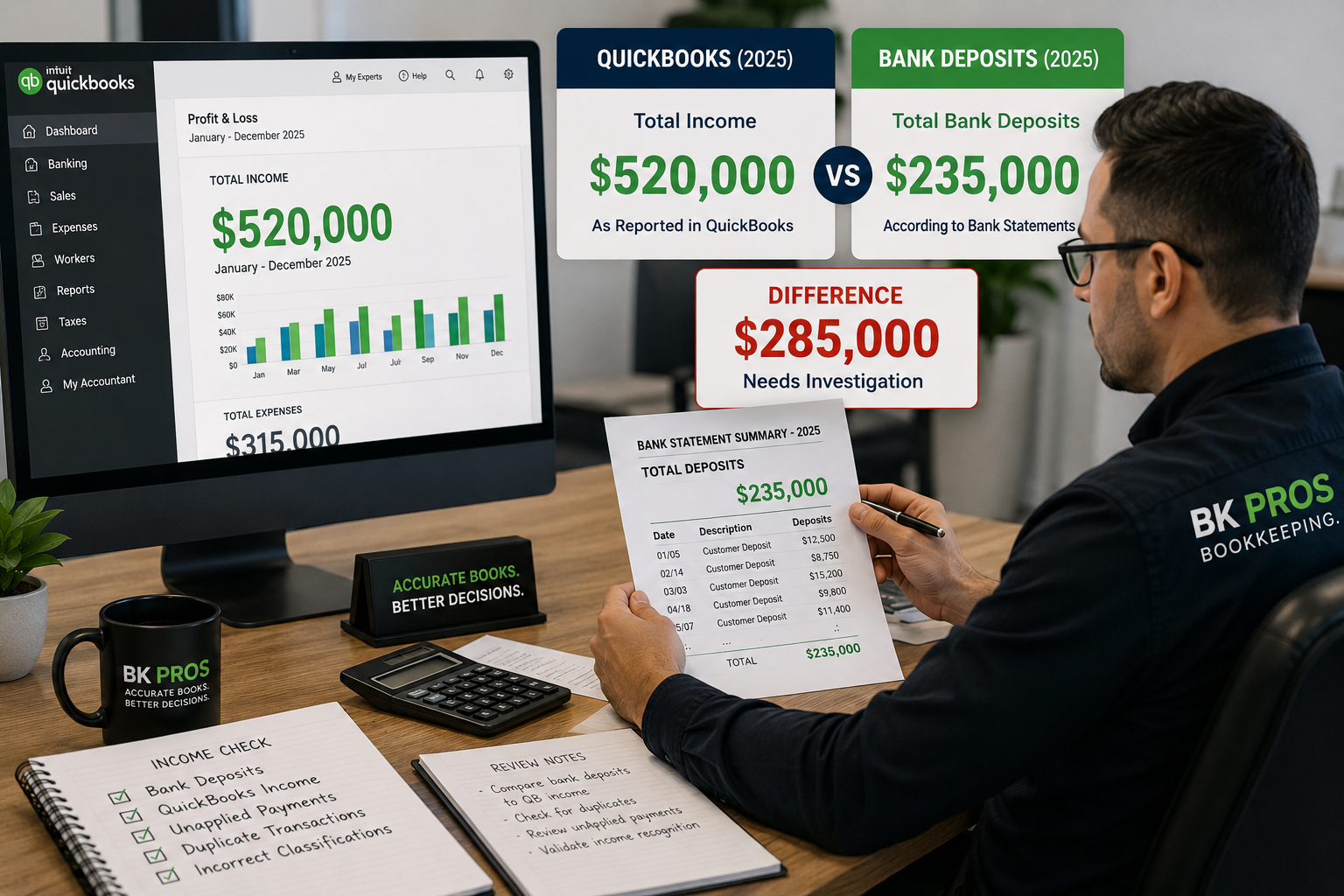

You open QuickBooks Online and notice something concerning:
QuickBooks says your checking account has $55,000.
Your bank says the actual balance is $32,000.
Which number is correct?
A difference between your QuickBooks balance and your bank balance does not automatically mean your bookkeeping is wrong. Outstanding checks, deposits in transit, and timing differences can legitimately cause the balances to differ.
But when the difference is large, continues month after month, or cannot be explained through the reconciliation process, your QuickBooks file may need additional review.
QuickBooks and Your Bank Are Two Different Records
Your bank records the transactions that actually cleared your bank account.
QuickBooks contains the transactions that have been entered, imported, categorized, matched, or otherwise recorded in your books.
Ideally, these two sets of records should be regularly compared through the bank reconciliation process.
Reconciliation helps verify that the transactions recorded in QuickBooks correspond with the activity reported by your financial institution.
Why Can the Balances Be Different?
There are several legitimate and problematic reasons your QuickBooks balance may differ from your bank balance.
Some common causes include:
- Outstanding checks that haven’t cleared the bank
- Deposits in transit
- Missing transactions
- Duplicate transactions
- Transactions entered with incorrect amounts
- Transactions entered into the wrong bank account
- Deleted or modified reconciled transactions
- Bank-feed transactions added instead of matched
- Incorrect beginning balances
- Transactions recorded with incorrect dates
- Previously reconciled periods that were changed
The important question isn’t simply:
“Why don’t these two numbers match?”
It’s:
“Can we explain the difference?”
Bank Balance vs. QuickBooks Balance
When a bank account is connected to QuickBooks Online, you may see more than one balance.
The bank balance generally reflects information received from the connected financial institution.
The QuickBooks balance is calculated from the transactions recorded in your QuickBooks register.
These numbers can temporarily differ.
For example, you may have written a $3,000 check that has been recorded in QuickBooks but has not yet cleared the bank.
QuickBooks already reflects the $3,000 reduction.
Your bank may not.
That difference can be completely legitimate.
The Reconciliation Is What Helps Explain the Difference
This is why simply comparing today’s online bank balance with today’s QuickBooks balance isn’t enough.
A proper reconciliation compares QuickBooks with an actual bank statement for a defined period.
For example:
Bank Statement Ending Balance: $32,000
QuickBooks should be reconciled against that statement using the transactions that cleared during the same statement period.
If everything is properly recorded and reconciled, the reconciliation should reach a:
$0.00 difference
That doesn’t necessarily mean today’s QuickBooks balance and today’s online bank balance will always be identical.
It means the transactions for the reconciled statement period have been accounted for.
A Reconciled Account Can Still Develop Problems
One particularly important issue occurs when transactions from previously reconciled periods are later changed or deleted.
Imagine December 2025 was successfully reconciled.
Several months later, someone:
- Deletes an old transaction
- Changes its amount
- Changes its date
- Moves it to another account
- Modifies a previously reconciled transaction
Now the historical reconciliation may be affected.
This is why seeing the word “Reconciled” doesn’t necessarily mean the account has remained accurate forever.
Previously reconciled transactions can still be modified.
Bank Feed Duplicates Can Create Large Differences
Another common problem occurs when a transaction already exists in QuickBooks and the same transaction arrives through the bank feed.
When appropriate, QuickBooks may allow the bank transaction to be matched with the transaction that already exists.
But if the bank-feed transaction is added as a new transaction instead of being matched to the existing one, QuickBooks may now contain duplicate activity.
One transaction occurred at the bank.
QuickBooks may contain two.
When this happens repeatedly, the QuickBooks balance can gradually move farther away from the actual bank activity.
Reconnecting Bank Accounts Can Also Require Care
Disconnecting and reconnecting a bank account can sometimes bring previously downloaded transactions back into the bank feed, depending on the connection and the dates selected.
Those transactions aren’t automatically bookkeeping errors simply because they appear again in the feed.
The problem occurs if previously recorded activity is added again instead of being properly reviewed or matched.
This can create duplicate transactions and contribute to significant balance discrepancies.
Don't Delete Transactions Just to Make the Balance Match
When someone discovers that QuickBooks is thousands of dollars away from the bank balance, it can be tempting to start deleting transactions until the numbers look closer.
That’s risky.
A transaction may affect more than the bank account.
Deleting or modifying transactions can also affect:
- Accounts Receivable
- Accounts Payable
- Customer balances
- Vendor balances
- Income
- Expenses
- Assets or liabilities
- Previous reconciliations
The goal should never be to force QuickBooks to match the bank.
The goal is to identify what created the difference and correct the underlying bookkeeping problem.
How BK PROS Reviews a Bank Balance Discrepancy
When reviewing an account with an unexplained difference, we can start with the bank statements and compare them with the activity recorded in QuickBooks.
That may include reviewing:
- Beginning balances — Does QuickBooks start the period with the correct balance?
- Monthly reconciliations — Which months reconcile correctly, and where does the discrepancy begin?
- Missing transactions — Is activity present at the bank but missing from QuickBooks?
- Duplicate transactions — Does QuickBooks contain activity that only occurred once at the bank?
- Previously reconciled transactions — Were old transactions changed or deleted?
- Bank-feed activity — Were existing transactions duplicated instead of matched?
Working month by month can help identify where the difference started, which is often much more useful than simply looking at the current balance.
Why Accurate Reconciliations Matter
Your bank and credit-card accounts affect much of the financial information inside QuickBooks.
If those accounts aren’t properly reconciled, the reliability of your financial reports may also be affected.
Regular reconciliations can help identify missing transactions, duplicates, incorrect amounts, and other bookkeeping issues before they accumulate over months or years.
A reconciliation isn’t just about reaching $0.00. It’s about verifying that the activity recorded in QuickBooks can be supported by the bank statement.
Is Your QuickBooks Balance Different From Your Bank?
BK PROS can review your QuickBooks file and help identify reconciliation issues, duplicate transactions, missing activity, previously modified transactions, and other problems that may explain the difference.
Not sure why your QuickBooks and bank balances don’t match?
Get Your Books Reviewed