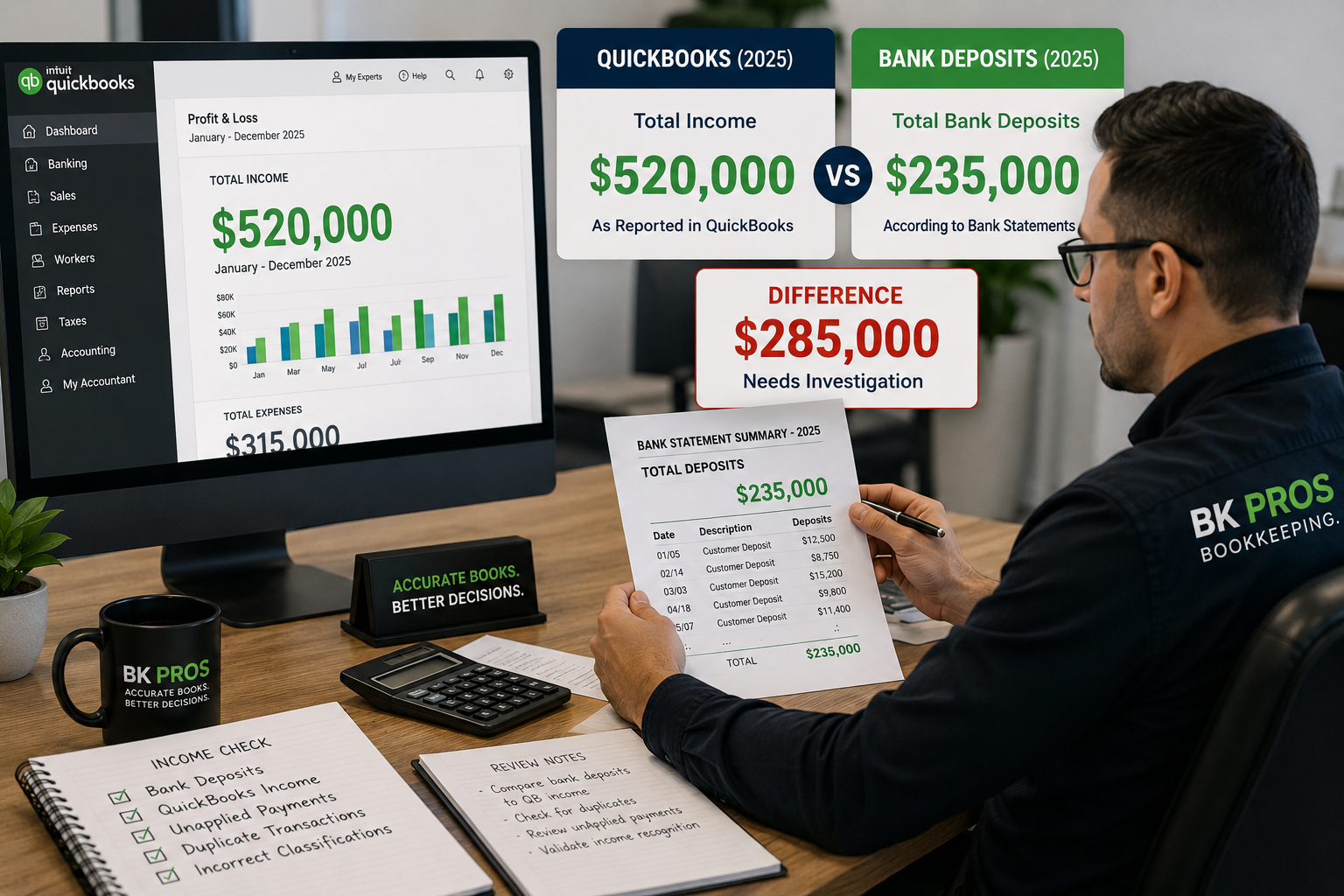

You run your Profit & Loss report in QuickBooks Online and notice an account you don’t remember creating:
Unapplied Cash Payment Income
You may also see an unexpected balance associated with it.
What is it? Is it additional income? Did you categorize something incorrectly?
In many cases, Unapplied Cash Payment Income appears because QuickBooks has recorded a customer payment that has not been properly applied to an invoice or because the payment and invoice are being recognized in different periods.
The important thing is not to simply reclassify or delete the amount. First, you need to determine why QuickBooks is reporting it.
What Is Unapplied Cash Payment Income?
Unapplied Cash Payment Income is an account QuickBooks can use when a customer payment exists but QuickBooks cannot properly associate that payment with the related income for the reporting period.
This is particularly noticeable when reviewing a Profit & Loss report using the cash accounting method.
For example, your QuickBooks file may contain:
Invoice: $5,000
Customer Payment: $5,000
The customer may have paid exactly what they owed, but if the payment wasn’t properly applied to the invoice, QuickBooks may report the payment through Unapplied Cash Payment Income instead of presenting the transaction as you expected.
Why Does Unapplied Cash Payment Income Appear?
There isn’t only one possible cause.
Some common situations to investigate include:
- Customer payments that haven’t been applied to invoices
- Payments recorded before the corresponding invoice
- Incorrect dates on invoices or payments
- Customer payments entered incorrectly
- Transactions imported or added incorrectly through the bank feed
- Duplicate customer payment activity
- Old Accounts Receivable activity that was never properly resolved
The presence of Unapplied Cash Payment Income doesn’t automatically tell you which of these problems exists.
It tells you that the underlying customer payment activity should be reviewed.
Start by Reviewing the Transactions Behind the Balance
Rather than immediately creating a journal entry or reclassifying the balance, start by identifying the transactions creating the amount.
Run your Profit & Loss for the period where Unapplied Cash Payment Income appears and open the transactions behind that balance.
Look at:
Customer — Which customer is associated with the transaction?
Payment date — When was the payment recorded?
Invoice date — When was the corresponding invoice created?
Amount — Does the payment match an existing invoice?
Payment application — Was the payment actually applied to the correct invoice?
This can often reveal why the balance is appearing.
Example: A Payment Was Never Applied to the Invoice
Suppose a customer owes your company $2,500.
QuickBooks contains:
Invoice #1050 — $2,500
and
Customer Payment — $2,500
At first glance, everything appears correct.
But if the customer payment was entered without being applied to Invoice #1050, QuickBooks may still show the invoice as outstanding while the payment exists separately.
Now your books can contain two pieces of information that don’t properly connect:
An unpaid invoice + an unapplied customer payment
The solution isn’t to create another income transaction.
The underlying payment and invoice need to be reviewed and, when appropriate, correctly connected.
Check the Dates Too
Sometimes the payment is applied to an invoice, but the dates create the problem.
For example:
Customer Payment: December 28, 2025
Invoice: January 3, 2026
When reviewing financial reports—particularly on a cash basis—the payment and invoice fall into different reporting periods.
That’s why reviewing only the amount isn’t enough.
The transaction dates and reporting period matter too.
Don't Automatically Reclassify the Balance
One of the biggest mistakes you can make is seeing an unusual account on the Profit & Loss and immediately creating a journal entry to make it disappear.
That may change the financial statement without correcting the transactions that caused the problem.
Before making a correction, determine:
- Which transactions created the balance?
- Are the payments associated with actual invoices?
- Were the payments applied correctly?
- Are the transaction dates correct?
- Is there duplicate activity?
The goal isn’t simply to remove Unapplied Cash Payment Income from the Profit & Loss.
The goal is to correct the underlying bookkeeping issue that caused it.
Why Unapplied Cash Payment Income Matters
A significant or recurring balance in Unapplied Cash Payment Income can be a sign that customer payments and Accounts Receivable need additional review.
Depending on the underlying transactions, it may affect:
- Accounts Receivable balances
- Customer balances
- Profit & Loss reporting
- Cash-basis financial reports
- The accuracy and clarity of your financial records
If the balance continues to grow month after month, that can be especially important to investigate.
Need Help Investigating Unapplied Cash Payment Income?
BK PROS can review your QuickBooks file and help identify unapplied customer payments, unusual Accounts Receivable balances, duplicate transactions, incorrect payment activity, and other bookkeeping issues that may be affecting your financial reports.
Seeing Unapplied Cash Payment Income on your Profit & Loss and aren’t sure why?
Get Your Books Reviewed.